

- 1600+ LLMs — Single interface for all providers, not just OpenAI & Anthropic
- Observability — Real-time tracking for 40+ metrics and logs
- Governance — Budget limits, rate limits, and RBAC
- Guardrails — PII detection, content filtering, compliance controls
For enterprise governance setup, see Enterprise Governance.
Quick Start
1. Setup Portkey
1
Add Provider
Go to Model Catalog → Add Provider.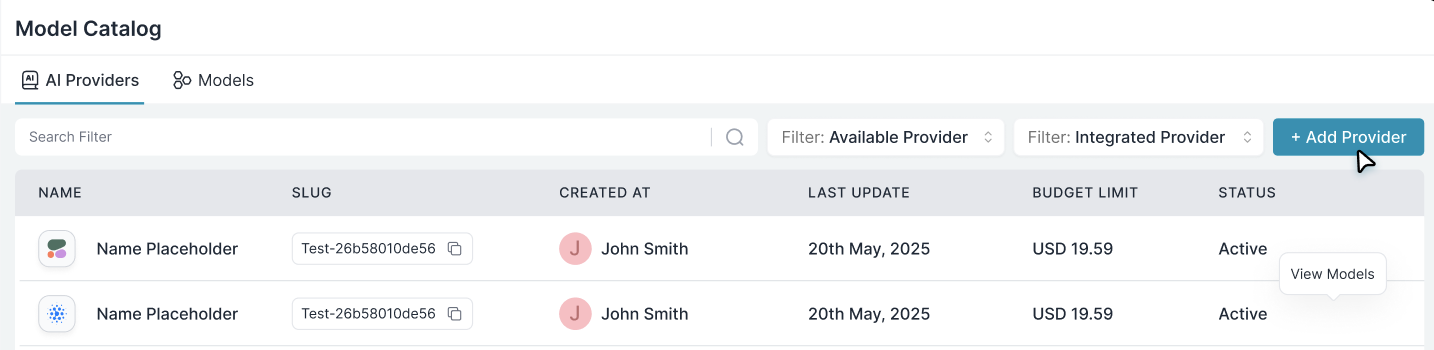
2
Configure Credentials
Select your provider (OpenAI, Anthropic, etc.), enter your API key, and create a slug like 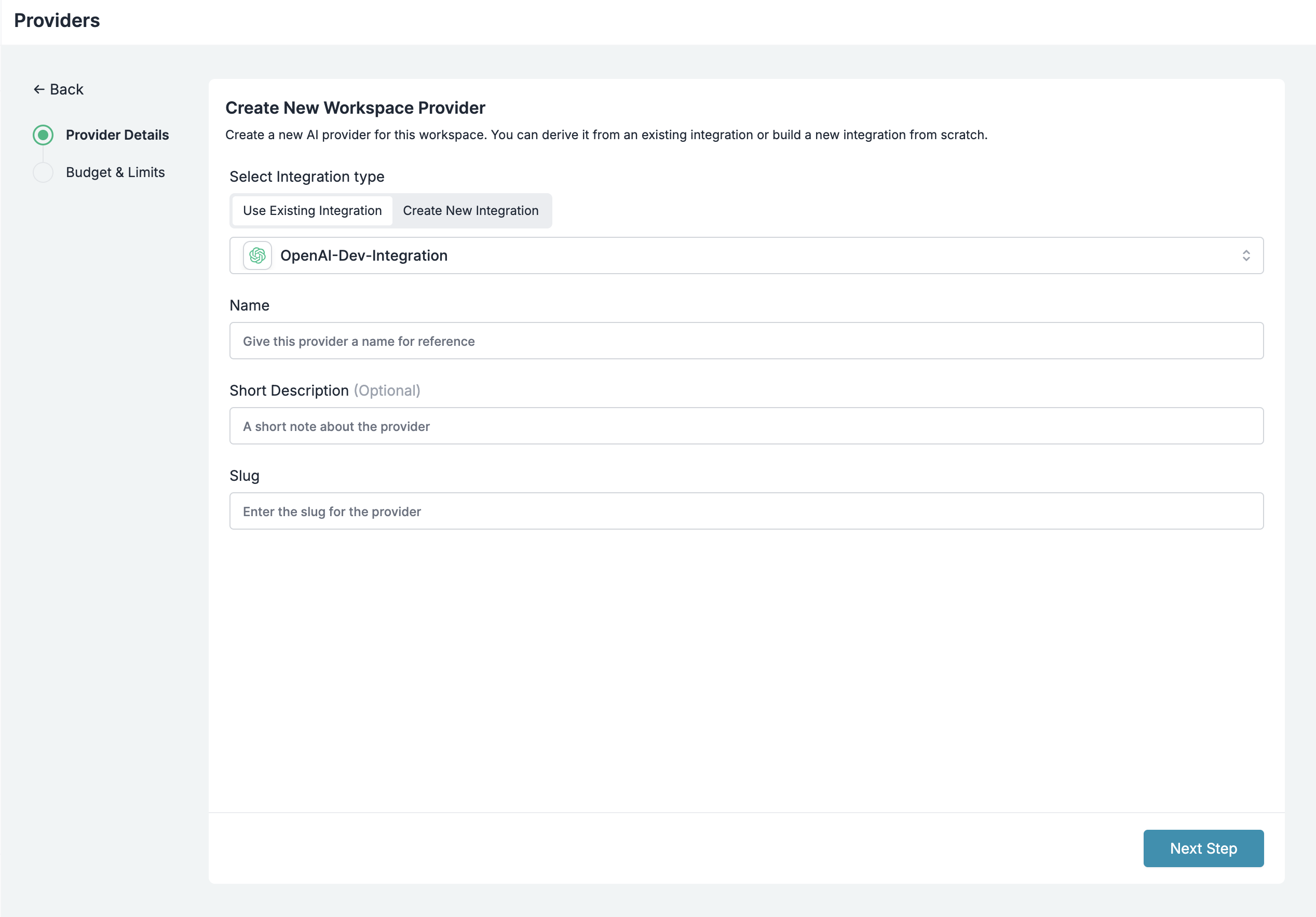
openai-prod.3
Create Config
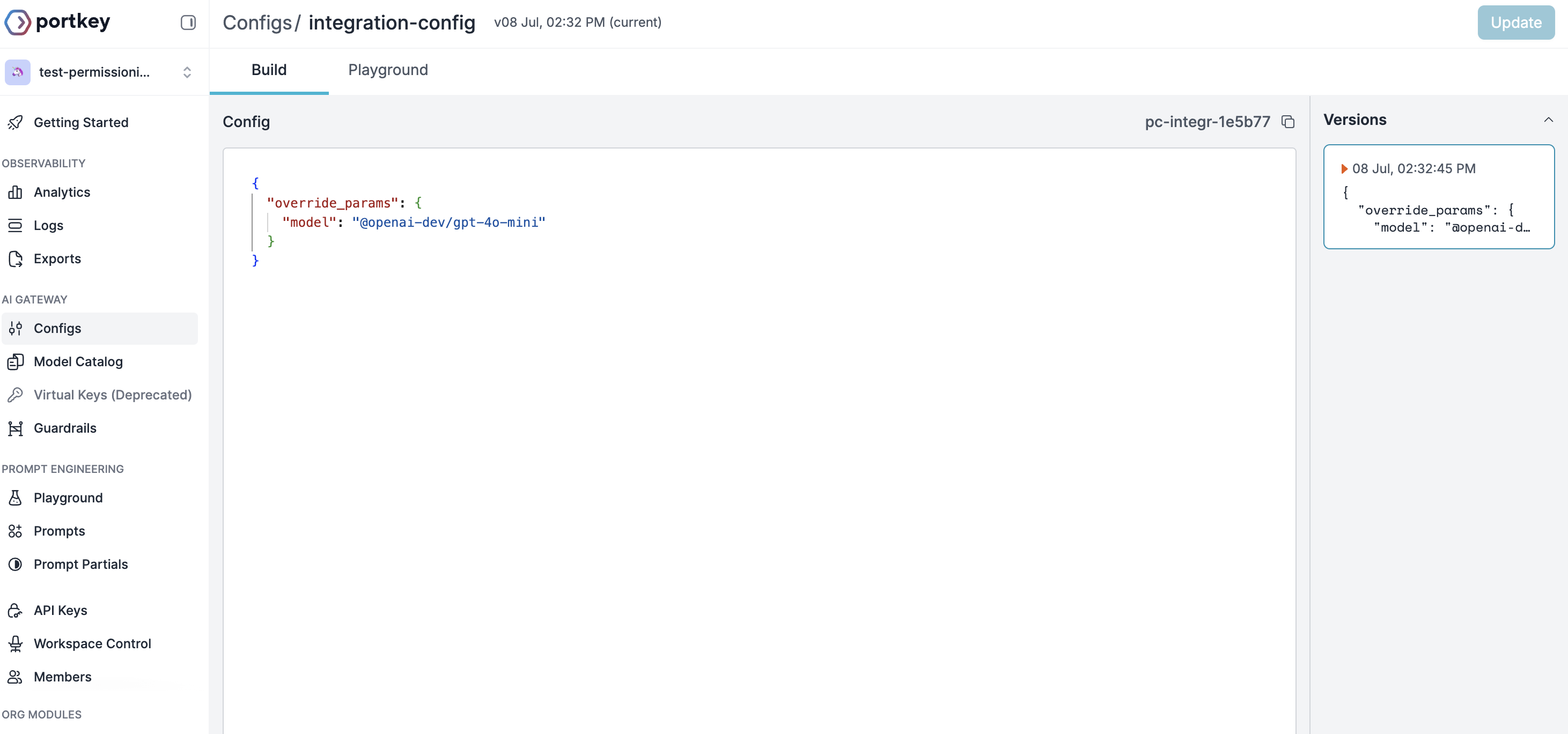
4
Get Portkey API Key
Go to API Keys → Create new key → Attach your config → Save.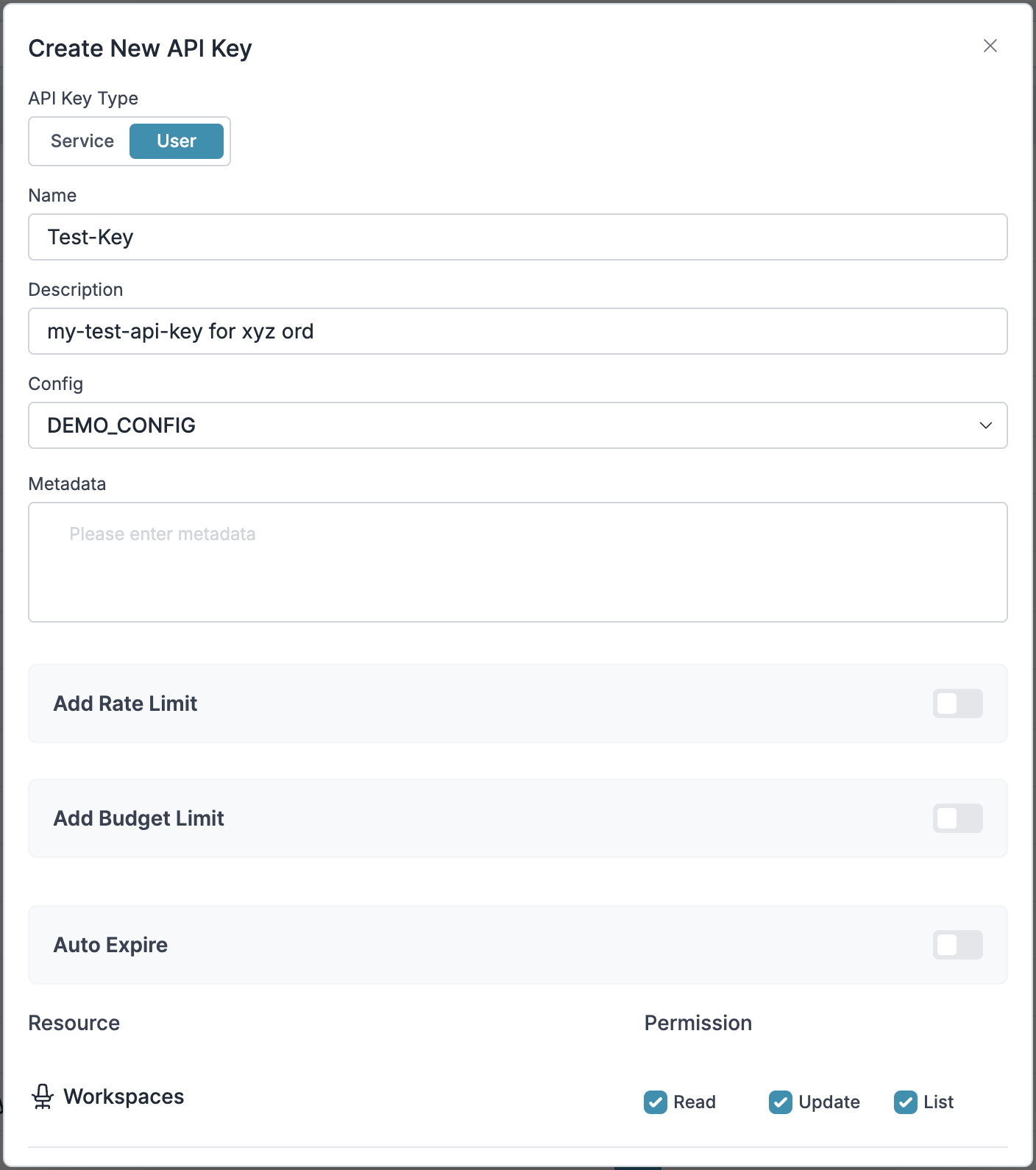
2. Configure n8n
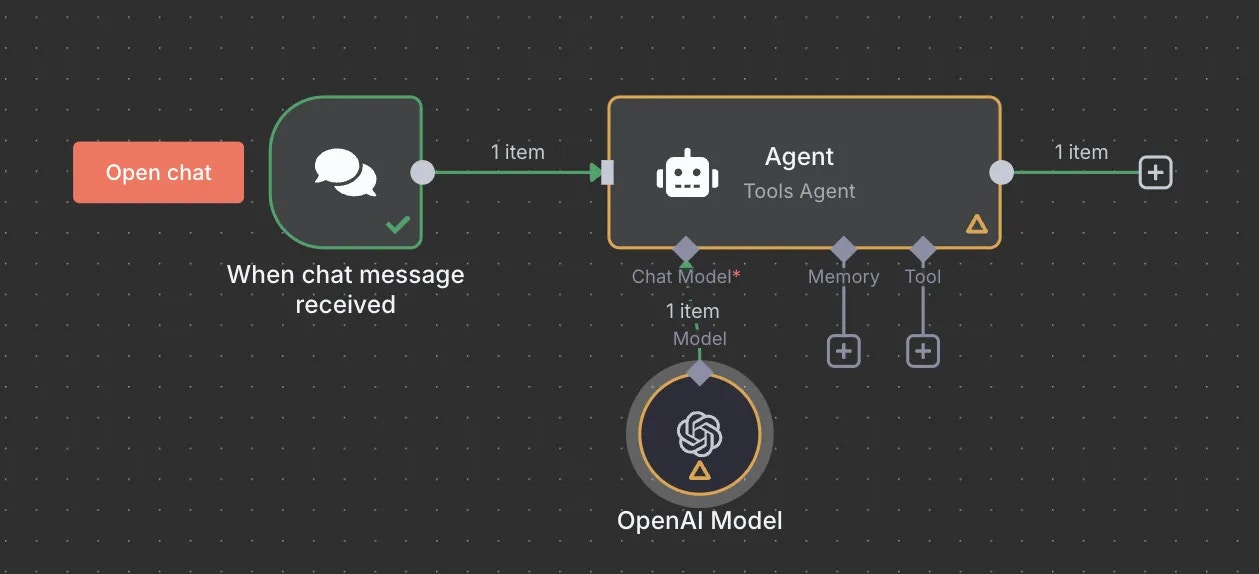
- Add the OpenAI node to your workflow
- Configure credentials:
- API Key: Your Portkey API key
- Base URL:
https://api.portkey.ai/v1
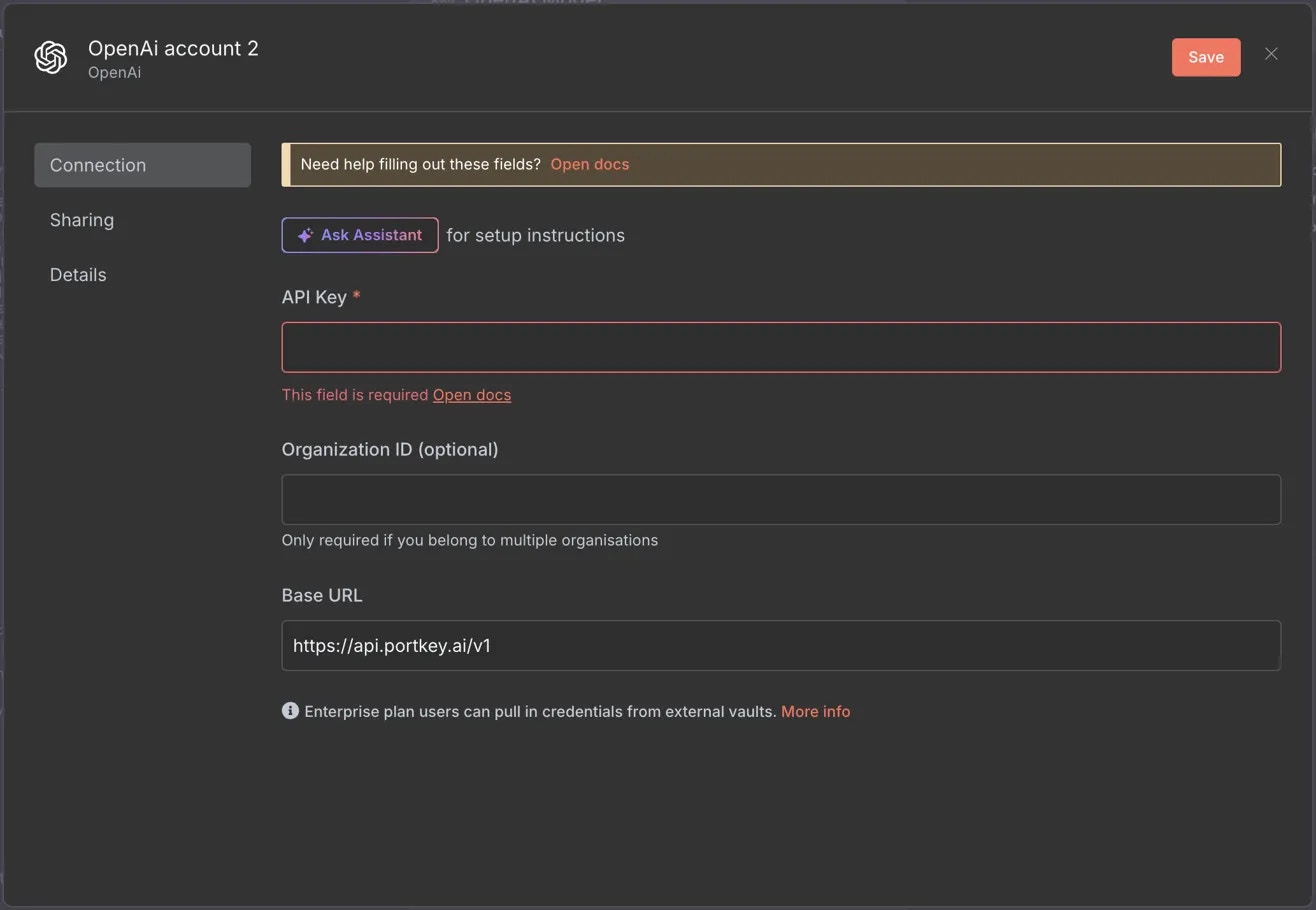
- Configure the OpenAI node with your model. The model in your config will override the default.
3. Set Up Enterprise Governance
Why Enterprise Governance?- Cost Management: Controlling and tracking AI spending across teams
- Access Control: Managing team access and workspaces
- Usage Analytics: Understanding how AI is being used across the organization
- Security & Compliance: Maintaining enterprise security standards
- Reliability: Ensuring consistent service across all users
- Model Management: Managing what models are being used in your setup
Step 1: Implement Budget Controls & Rate Limits
Step 1: Implement Budget Controls & Rate Limits
Step 1: Implement Budget Controls & Rate Limits
Model Catalog enables you to have granular control over LLM access at the team/department level. This helps you:- Set up budget limits
- Prevent unexpected usage spikes using Rate limits
- Track departmental spending
Setting Up Department-Specific Controls:
- Navigate to Model Catalog in Portkey dashboard
- Create new Provider for each engineering team with budget limits and rate limits
- Configure department-specific limits
Step 2: Define Model Access Rules
Step 2: Define Model Access Rules
Step 2: Define Model Access Rules
As your AI usage scales, controlling which teams can access specific models becomes crucial. You can simply manage AI models in your org by provisioning model at the top integration level.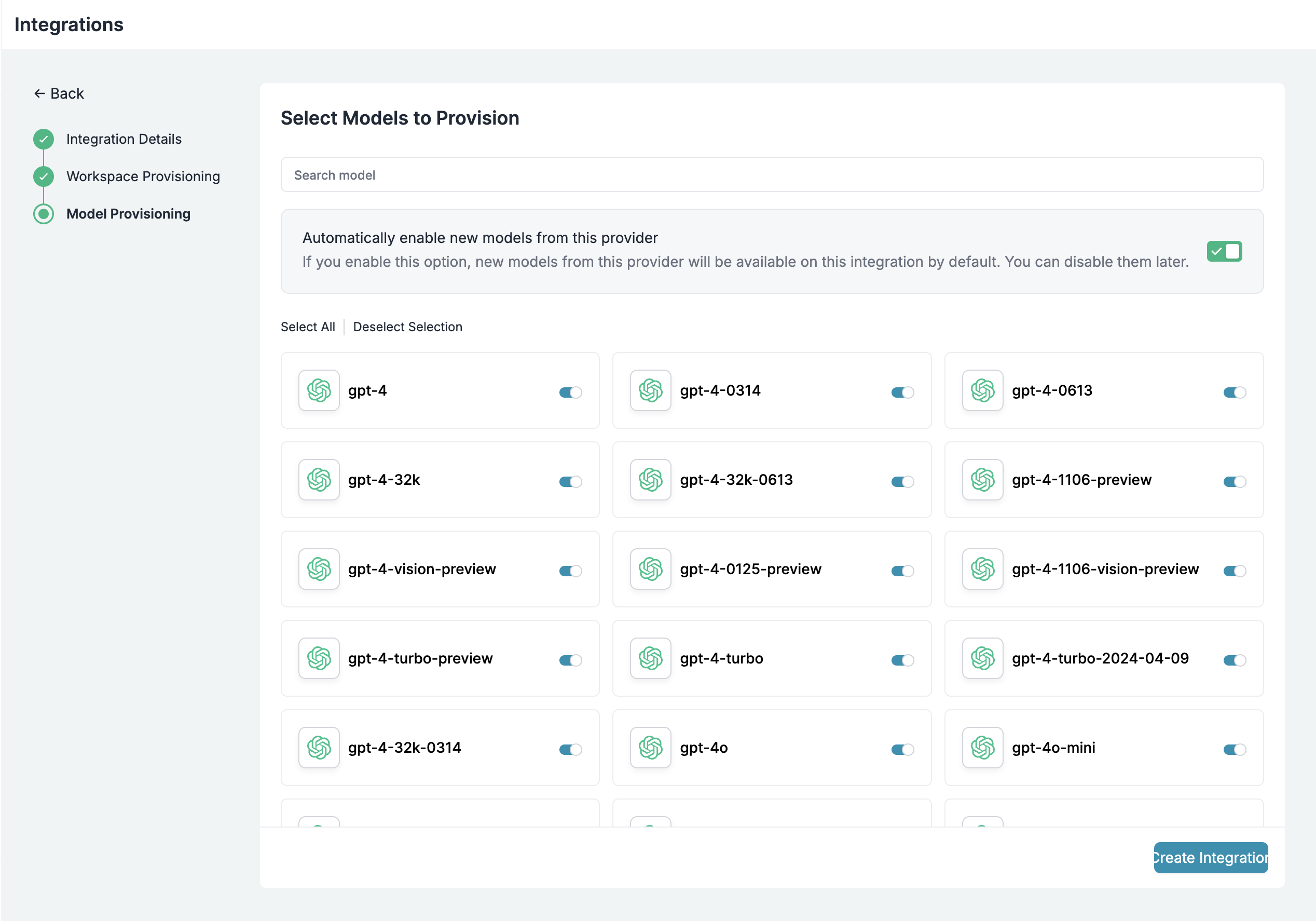
Step 4: Set Routing Configuration
Step 4: Set Routing Configuration
Portkey allows you to control your routing logic very simply with it’s Configs feature. Portkey Configs provide this control layer with things like:Create your config on the Configs page in your Portkey dashboard. You’ll need the config ID for connecting.
- Data Protection: Implement guardrails for sensitive code and data
- Reliability Controls: Add fallbacks, load-balance, retry and smart conditional routing logic
- Caching: Implement Simple and Semantic Caching. and more…
Example Configuration:
Here’s a basic configuration to load-balance requests to OpenAI and Anthropic:Configs can be updated anytime to adjust controls without affecting running applications.
Step 4: Implement Access Controls
Step 4: Implement Access Controls
Step 3: Implement Access Controls
Create User-specific API keys that automatically:- Track usage per developer/team with the help of metadata
- Apply appropriate configs to route requests
- Collect relevant metadata to filter logs
- Enforce access permissions
Step 5: Deploy & Monitor
Step 5: Deploy & Monitor
Step 4: Deploy & Monitor
After distributing API keys to your engineering teams, your enterprise-ready setup is ready to go. Each developer can now use their designated API keys with appropriate access levels and budget controls. Apply your governance setup using the integration steps from earlier sections Monitor usage in Portkey dashboard:- Cost tracking by engineering team
- Model usage patterns for AI agent tasks
- Request volumes
- Error rates and debugging logs
Enterprise Features Now Available
You now have:- Departmental budget controls
- Model access governance
- Usage tracking & attribution
- Security guardrails
- Reliability features
Portkey Features
Now that you have an enterprise-grade setup, let’s explore the comprehensive features Portkey provides to ensure secure, efficient, and cost-effective AI operations.1. Comprehensive Metrics
Using Portkey you can track 40+ key metrics including cost, token usage, response time, and performance across all your LLM providers in real time. You can also filter these metrics based on custom metadata that you can set in your configs. Learn more about metadata here.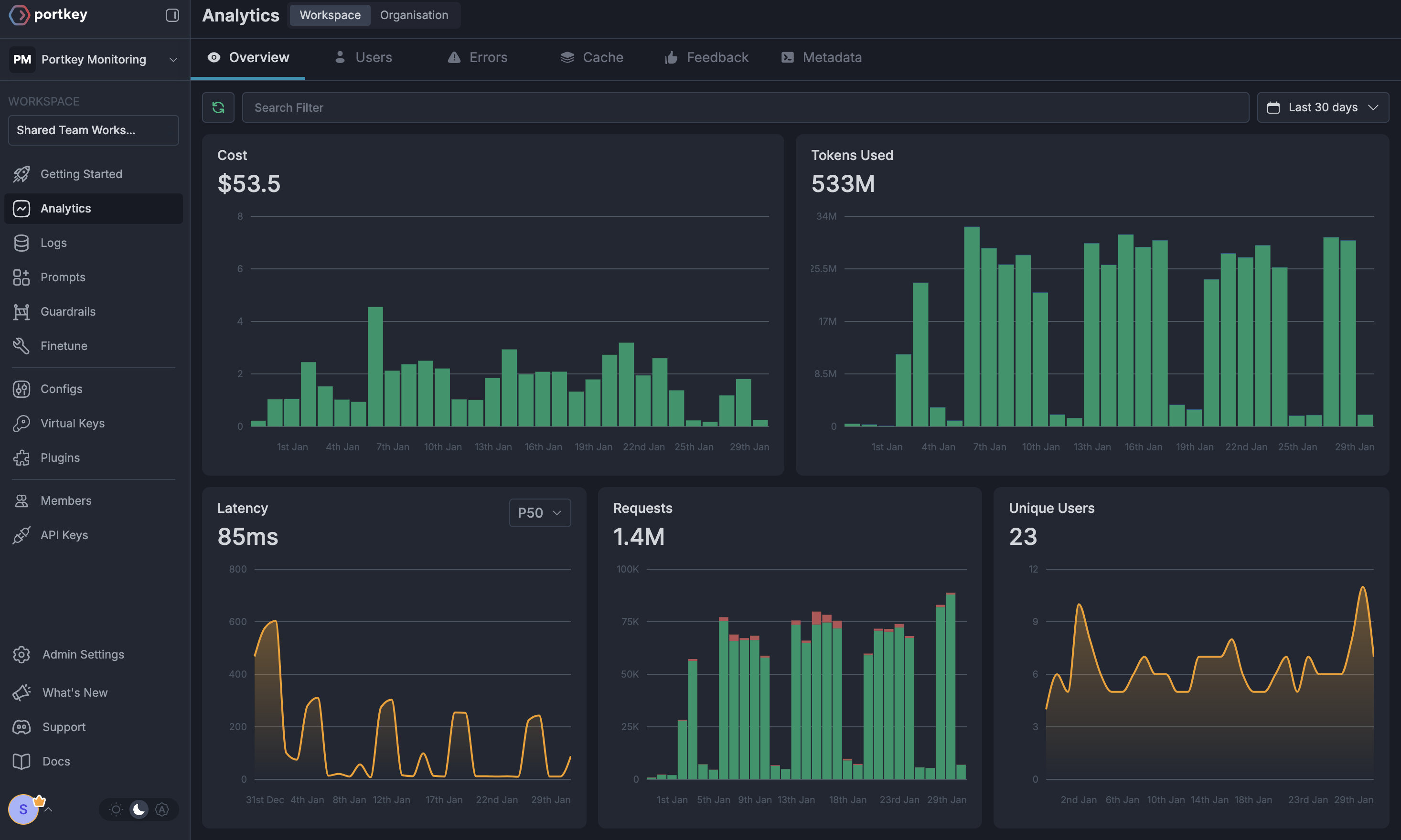
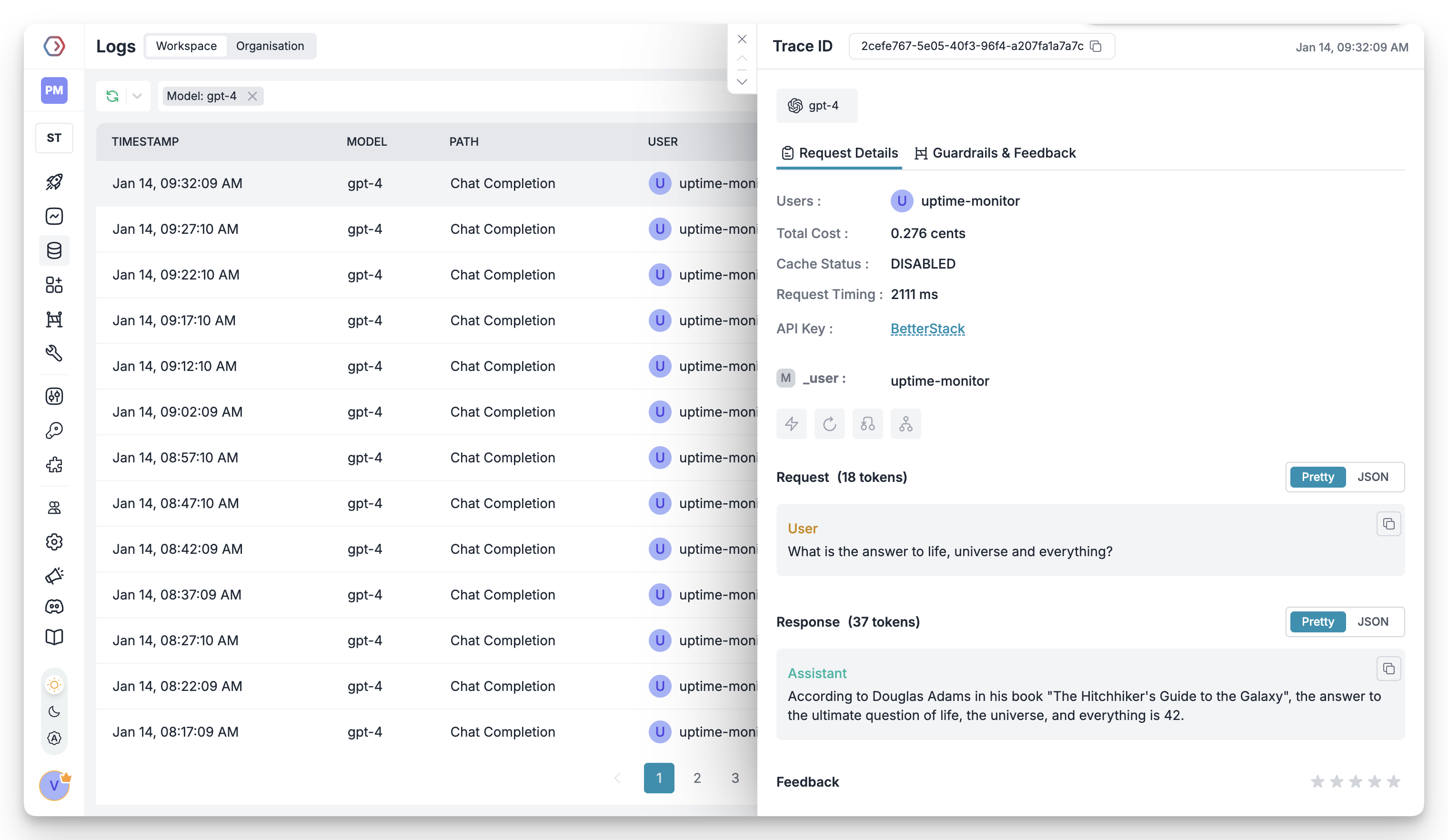
2. Advanced Logs
Portkey’s logging dashboard provides detailed logs for every request made to your LLMs. These logs include:- Complete request and response tracking
- Metadata tags for filtering
- Cost attribution and much more…
3. Unified Access to 1600+ LLMs
You can easily switch between 1600+ LLMs. Call various LLMs such as Anthropic, Gemini, Mistral, Azure OpenAI, Google Vertex AI, AWS Bedrock, and many more by simply changing thevirtual key in your default config object.
4. Advanced Metadata Tracking
Using Portkey, you can add custom metadata to your LLM requests for detailed tracking and analytics. Use metadata tags to filter logs, track usage, and attribute costs across departments and teams.Custom Metata
5. Enterprise Access Management
Budget Controls
Set and manage spending limits across teams and departments. Control costs with granular budget limits and usage tracking.
Single Sign-On (SSO)
Enterprise-grade SSO integration with support for SAML 2.0, Okta, Azure AD, and custom providers for secure authentication.
Organization Management
Hierarchical organization structure with workspaces, teams, and role-based access control for enterprise-scale deployments.
Access Rules & Audit Logs
Comprehensive access control rules and detailed audit logging for security compliance and usage tracking.
6. Reliability Features
Fallbacks
Automatically switch to backup targets if the primary target fails.
Conditional Routing
Route requests to different targets based on specified conditions.
Load Balancing
Distribute requests across multiple targets based on defined weights.
Caching
Enable caching of responses to improve performance and reduce costs.
Smart Retries
Automatic retry handling with exponential backoff for failed requests
Budget Limits
Set and manage budget limits across teams and departments. Control costs with granular budget limits and usage tracking.
7. Advanced Guardrails
Protect your Project’s data and enhance reliability with real-time checks on LLM inputs and outputs. Leverage guardrails to:- Prevent sensitive data leaks
- Enforce compliance with organizational policies
- PII detection and masking
- Content filtering
- Custom security rules
- Data compliance checks
Guardrails
Implement real-time protection for your LLM interactions with automatic detection and filtering of sensitive content, PII, and custom security rules. Enable comprehensive data protection while maintaining compliance with organizational policies.
FAQs
How do I update my Virtual Key limits after creation?
How do I update my Virtual Key limits after creation?
You can update your Virtual Key limits at any time from the Portkey dashboard:1. Go to Virtual Keys section2. Click on the Virtual Key you want to modify3. Update the budget or rate limits4. Save your changes
Can I use multiple LLM providers with the same API key?
Can I use multiple LLM providers with the same API key?
Yes! You can create multiple Virtual Keys (one for each provider) and attach them to a single config. This config can then be connected to your API key, allowing you to use multiple providers through a single API key.
How do I track costs for different teams?
How do I track costs for different teams?
Portkey provides several ways to track team costs:
- Create separate Virtual Keys for each team
- Use metadata tags in your configs
- Set up team-specific API keys
- Monitor usage in the analytics dashboard
What happens if a team exceeds their budget limit?
What happens if a team exceeds their budget limit?
When a team reaches their budget limit:
- Further requests will be blocked
- Team admins receive notifications
- Usage statistics remain available in dashboard
- Limits can be adjusted if needed
Next Steps
Join our CommunityFor enterprise support and custom features, contact our enterprise team.