

- Complete observability of agent workflows
- Cost tracking and optimization
- Reliability features (fallbacks, retries)
- Access to 1600+ LLMs
- Guardrails for safe agent behavior
Quick Start
1
Design in Agent Builder
Open OpenAI Agent Builder and create your workflow using the visual canvas.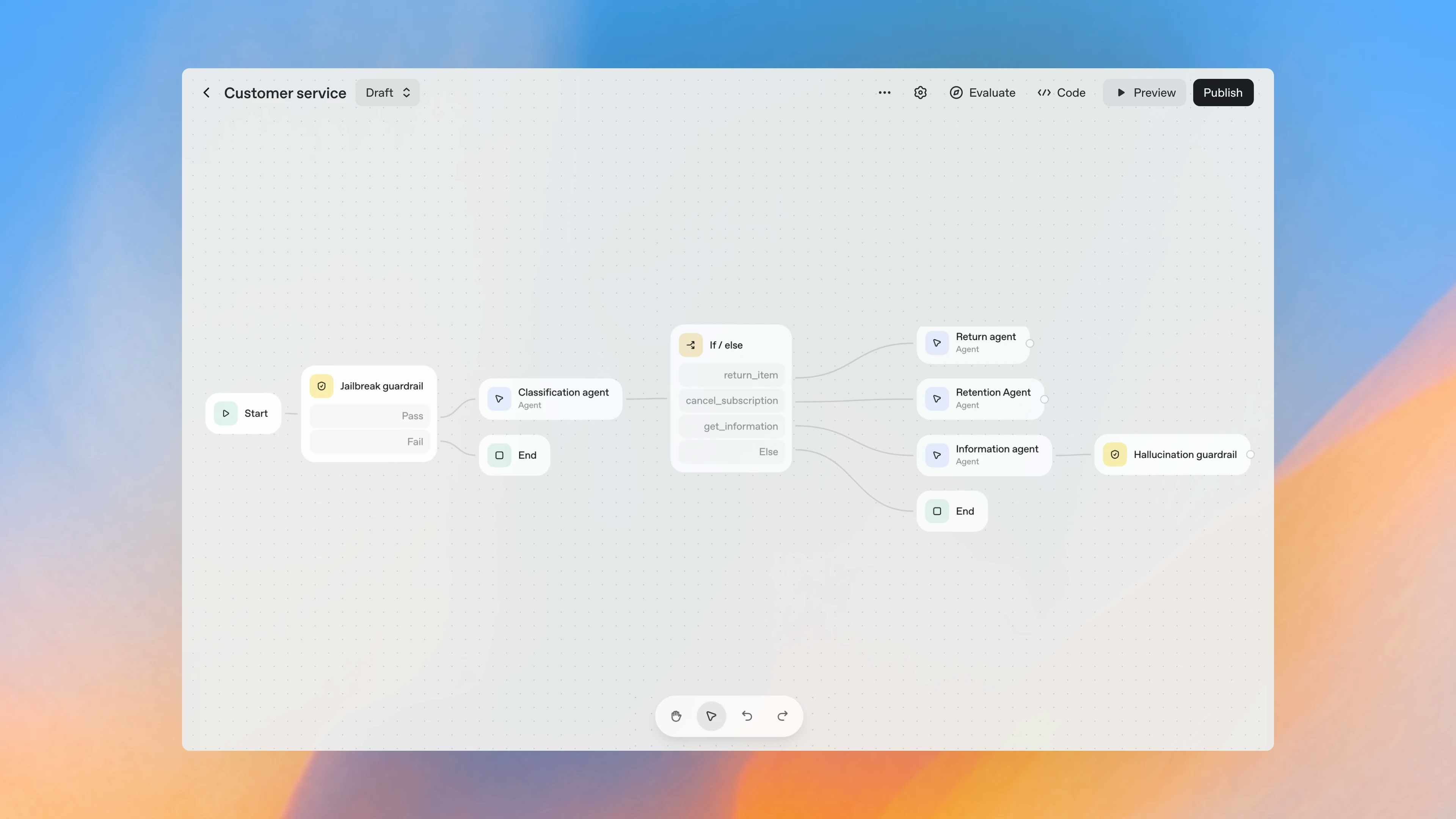
2
Export Code
Click Code → Agents SDK to get the Python implementation.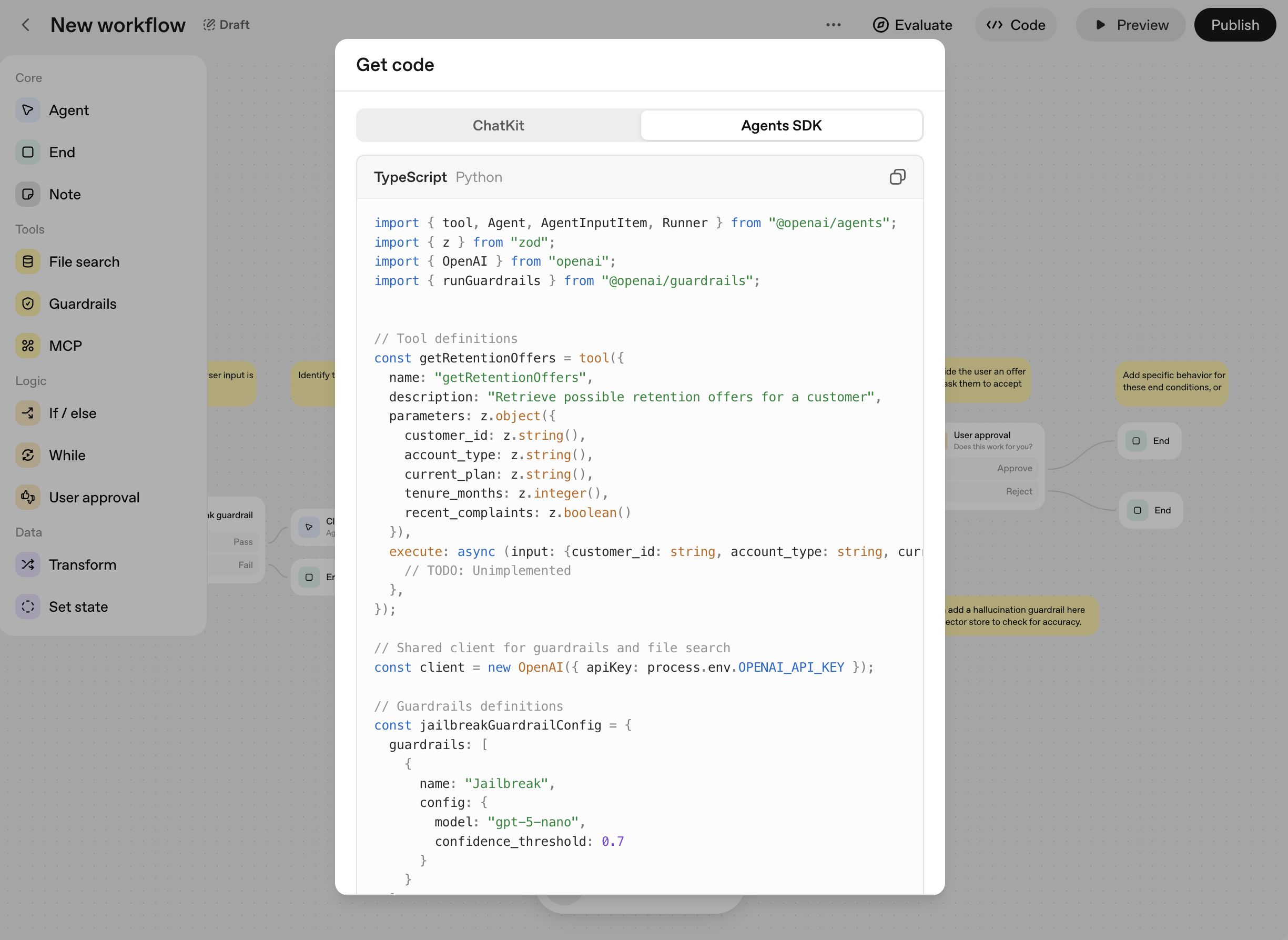
3
Install Packages
4
Add Portkey
Replace the OpenAI client with Portkey:
Update the
model field to use Portkey’s format: @openai-prod/gpt-4oSetup
1
Add Provider in Model Catalog
Go to Model Catalog → Add Provider. Select your provider (OpenAI, Anthropic, etc.), enter API keys, and name it (e.g.,
openai-prod).Your provider slug is @openai-prod.2
Get Portkey API Key
Create an API key at app.portkey.ai/api-keys.Pro tip: Attach a config for fallbacks, caching, and guardrails—applies automatically.
Production Features
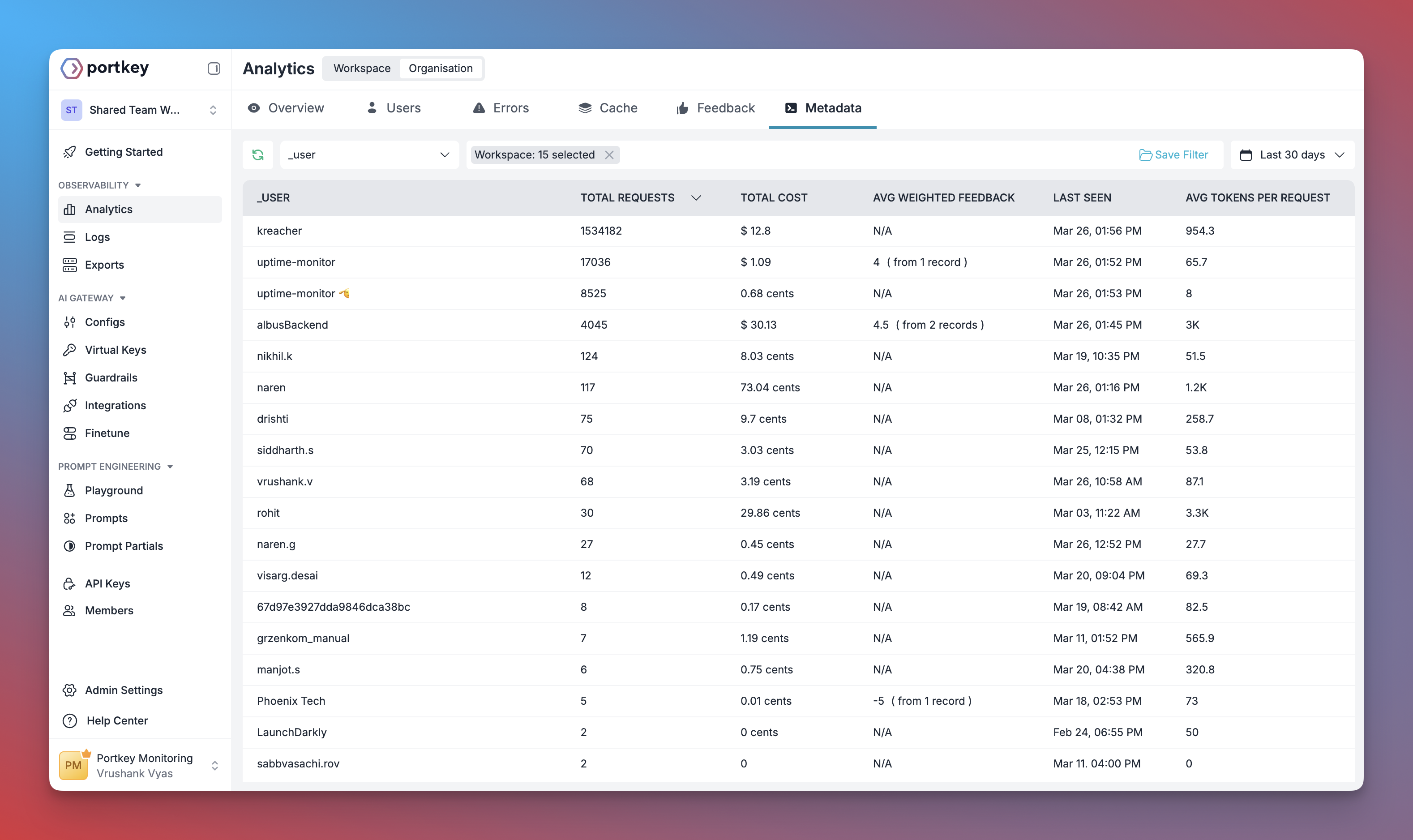
Observability
All workflow executions are logged: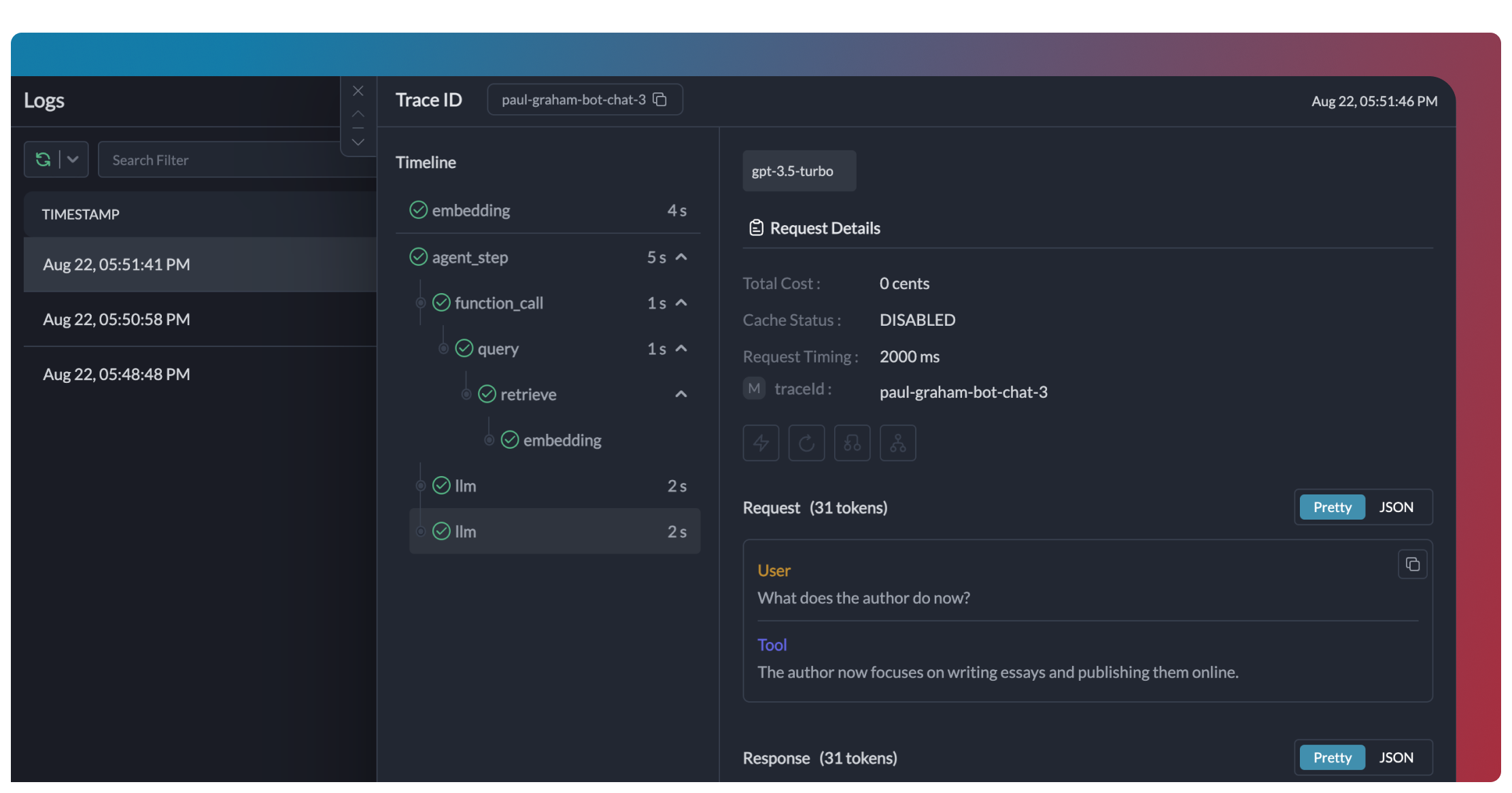
Reliability
Enable fallbacks via Configs:Automatic Retries
Handles temporary failures automatically
Load Balancing
Distribute across multiple keys
Conditional Routing
Route based on request attributes
Fallbacks
Switch to backup providers automatically
Guardrails
Add input/output validation:- Detect and redact PII
- Filter harmful content
- Validate response formats
- Apply custom business rules
Guardrails Guide
PII detection, content filtering, and custom rules
Caching
Reduce costs with response caching:Prompt Templates
Use Portkey’s prompt management for versioned prompts:Prompt Engineering Studio
Prompt versioning and collaboration
Switching Providers
Use any of 1600+ models:Supported Providers
See all 1600+ supported models
Enterprise Governance
Set up centralized control for your workflows.1
Add Provider with Budget
Go to Model Catalog → Add Provider. Set budget limits and rate limits.
2
Create Config
Go to Configs:
3
Create Team API Keys
Go to API Keys. Create keys per team, attach configs.
4
Distribute to Teams
Teams use their Portkey API key:
Enterprise Features
Governance, security, and compliance
FAQ
Can I use Portkey with existing Agent Builder workflows?
Can I use Portkey with existing Agent Builder workflows?
Yes. Export your workflow, add Portkey client initialization, and your code works unchanged.
Does Portkey work with all Agent Builder features?
Does Portkey work with all Agent Builder features?
Yes. Handoffs, tools, guardrails—all work with Portkey observability and reliability.
How do I track workflow costs?
How do I track workflow costs?
Add metadata to your requests. Filter by workflow type, user, or environment in the dashboard.
Can I use my own API keys?
Can I use my own API keys?
Yes. Portkey stores your provider keys securely. Rotate keys without code changes.
Resources
OpenAI Agents SDK
Full SDK integration guide
Configs
Fallbacks, caching, and routing
OpenAI Agents Docs
Official documentation
Book a Demo
Get implementation guidance