
Add Portkey to Open WebUI to get:
  • Unified access to 1600+ LLMs through a single API
  • Real-time cost tracking and per-user attribution
  • Enterprise governance with budget limits and access controls
  • Reliability features like fallbacks, caching, and retries
Important: Open WebUI doesn’t support custom headers, so you can’t pass x-portkey-config per request.Solution: Attach a default config to your Portkey API key. All requests with that key automatically use the config. For different configs per user/use case, create separate API keys. See Default Configs.

Choose Your Integration Path

PathBest For
Direct OpenAI-compatible connectionQuick setup, using Model Catalog models in Open WebUI
Portkey Manifold PipeEnterprise deployments needing per-user attribution with shared API keys
Individual users: complete the workspace setup and one integration option below.

1. Prepare Your Portkey Workspace

1

Add Provider

Go to Model Catalog → AI Providers and add your provider (OpenAI, Anthropic, etc.) with your API credentials.
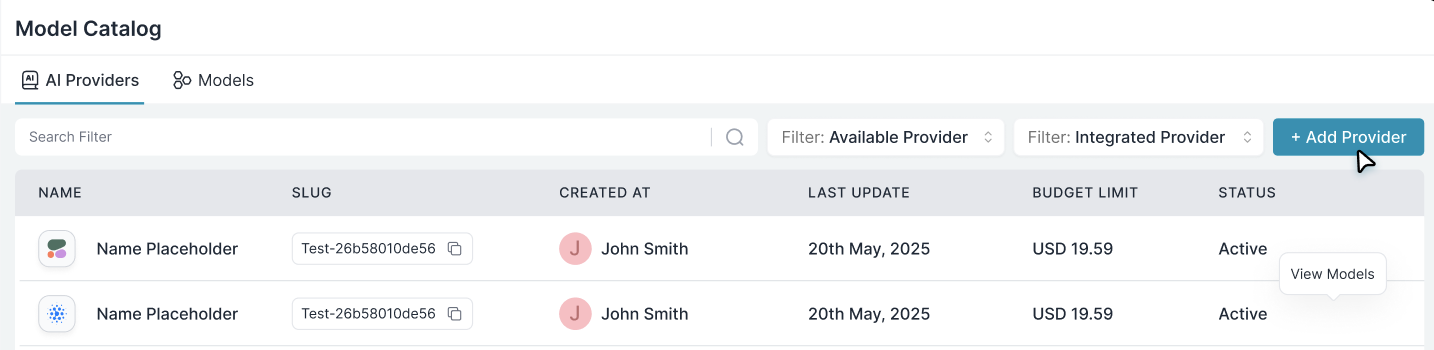
Add Provider
2

Get Model Slugs

Go to Model Catalog → Models and copy the slugs for models you want to use.
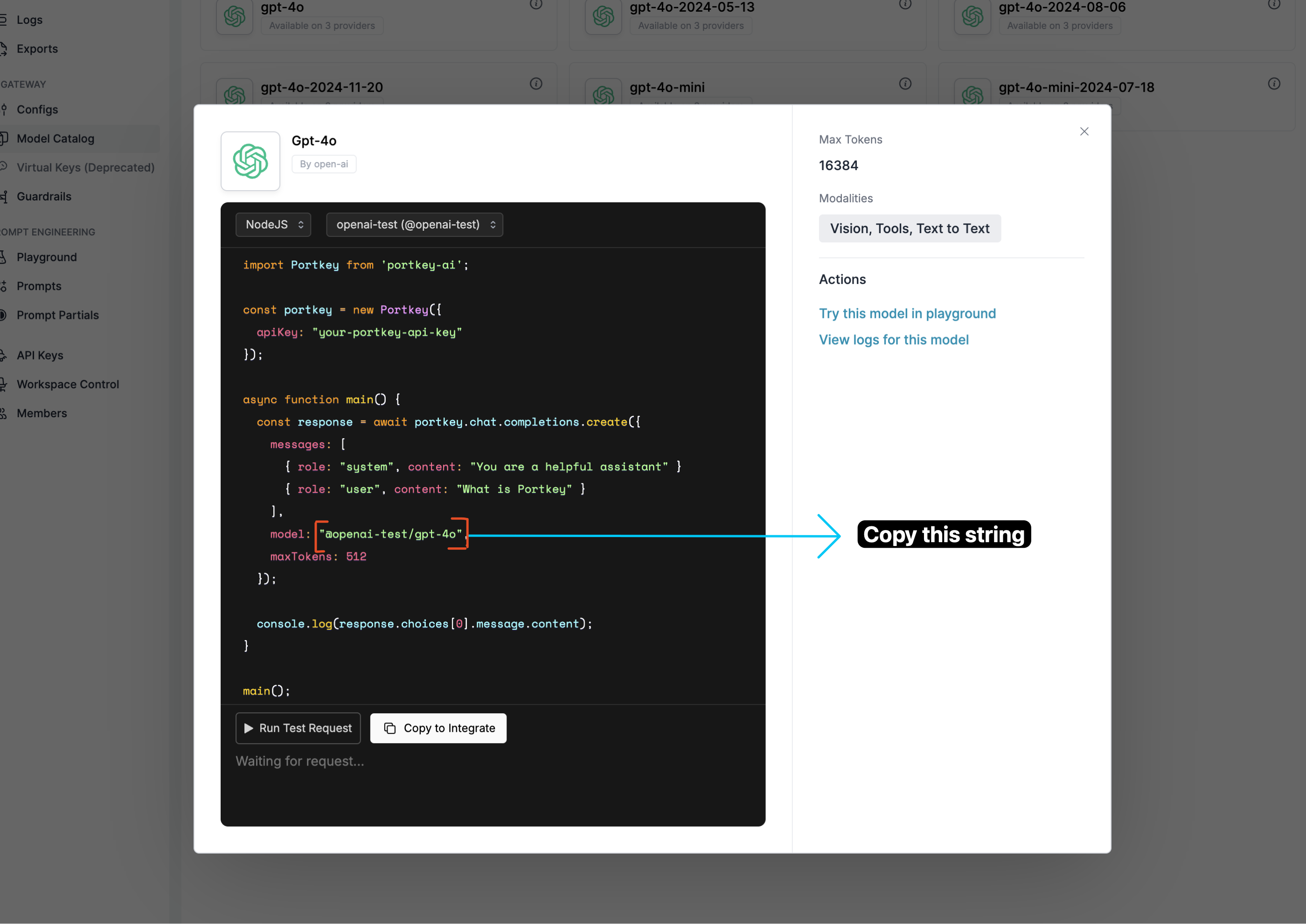
Format: @provider-slug/model-name (e.g., @openai-prod/gpt-4o)
3

Create Portkey API Key

Go to API KeysCreate New API Key. Optionally attach a default config for advanced features.

2. Connect Open WebUI to Portkey

Option A: Direct OpenAI-Compatible Connection

1

Access Admin Panel

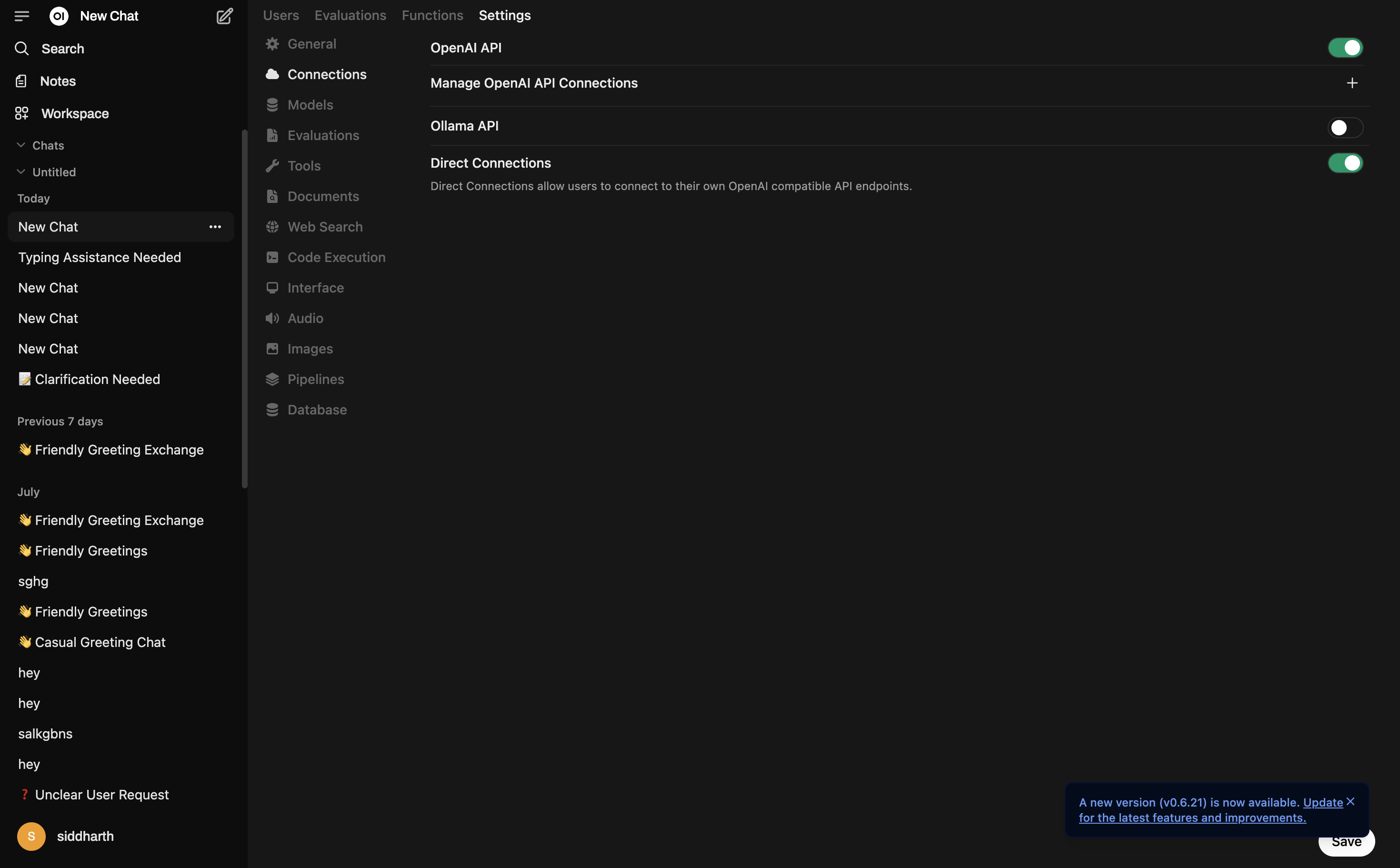
Open WebUI → Admin PanelSettingsConnections
2

Enable Direct Connections

Turn on Direct Connections and OpenAI API toggle, then click + next to Manage OpenAI API Connections.
3

Configure Portkey Connection
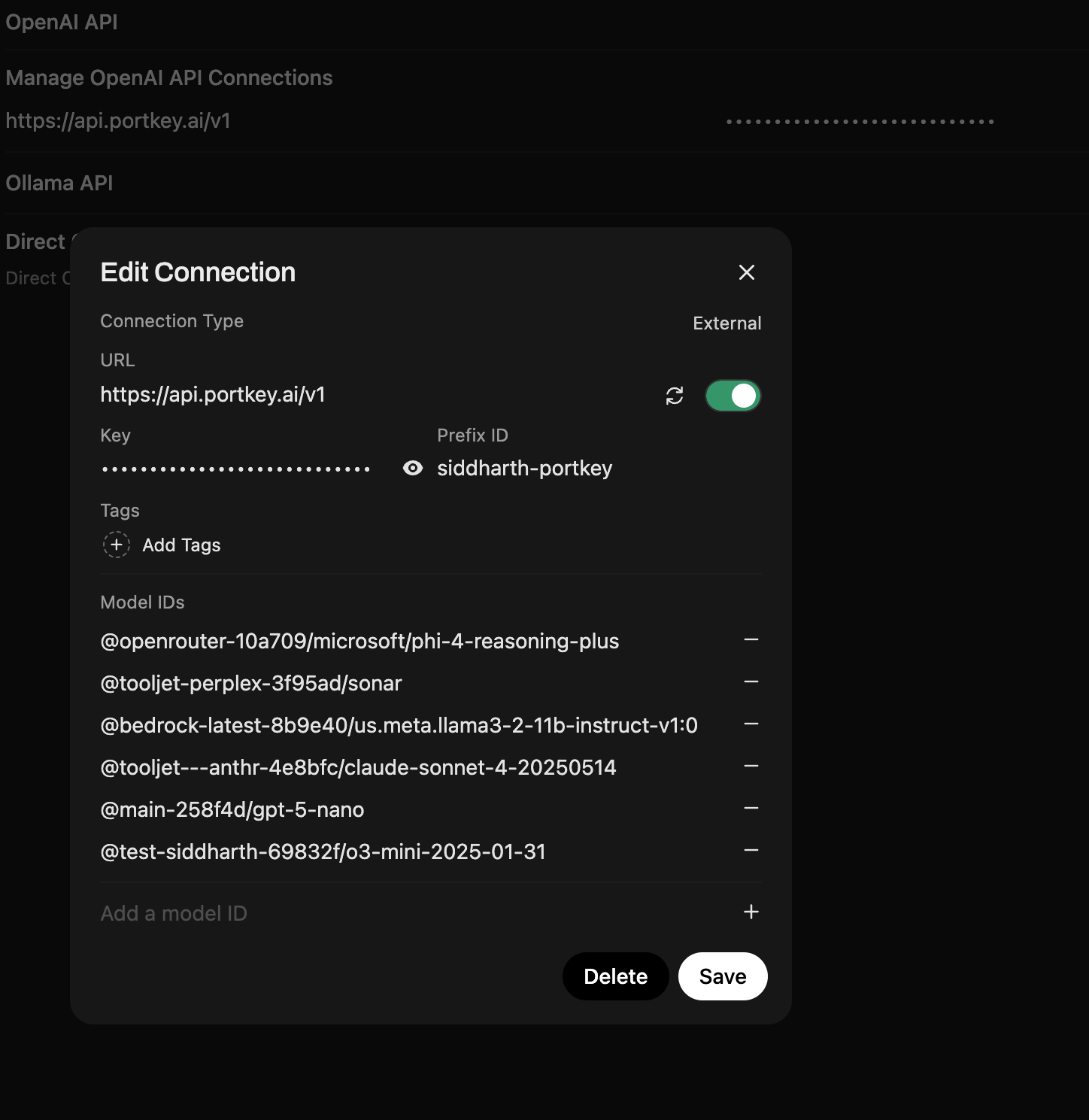
FieldValue
URLhttps://api.portkey.ai/v1
KeyYour Portkey API key
Prefix IDportkey
Model IDs@openai-prod/gpt-4o, @anthropic-prod/claude-3-sonnet (or leave empty to auto-fetch)
Anthropic models require Max Tokens. Set it in the settings icon (top right).
Monitor requests and costs in the Portkey Dashboard.

Option B: Portkey Manifold Pipe (Enterprise)

The Manifold Pipe solves a critical enterprise problem: per-user attribution with shared API keys. In typical deployments, a shared API key means all requests appear anonymous in logs. The Manifold Pipe automatically forwards Open WebUI user context (email, name, role) to Portkey, enabling true per-user cost tracking and governance.

Per-User Attribution

Track which user made each request—even with shared API keys.

Structured Metadata

Forward user context (email, name, role, chat ID) for filtering and analytics.

Auto Model Discovery

Automatically populate model dropdown from your Model Catalog.

Built-in Retries

Exponential backoff for non-streaming requests.
Download: portkey_manifold_pipe.py
portkey_manifold_pipe.py
"""
title: Portkey Manifold Pipe
author: Portkey
version: 0.8.0
license: MIT
documentation: https://portkey.ai/docs/integrations/libraries/openwebui
"""

from pydantic import BaseModel, Field
from typing import Union, Generator, Iterator
import json
import requests


class Pipe:
    class Valves(BaseModel):
        PORTKEY_API_KEY: str = Field(
            default="",
            description="Your Portkey API key (required).",
        )
        PORTKEY_API_BASE_URL: str = Field(
            default="https://api.portkey.ai/v1",
            description="Base URL for Portkey API.",
        )
        AUTO_DISCOVER_MODELS: bool = Field(
            default=True,
            description="Auto-fetch models from Portkey.",
        )
        PORTKEY_MODELS: str = Field(
            default="@openai-slug/gpt-4o, @anthropic-slug/claude-sonnet-latest",
            description="Comma-separated model IDs (used when auto-discovery is off or as fallback).",
        )

    def __init__(self):
        self.type = "manifold"
        self.valves = self.Valves()
        self.name = "PORTKEY"

    def pipes(self) -> list:
        model_ids = []

        # Auto-discover models from Portkey
        if self.valves.AUTO_DISCOVER_MODELS and self.valves.PORTKEY_API_KEY:
            try:
                r = requests.get(
                    f"{self.valves.PORTKEY_API_BASE_URL}/models",
                    headers={"Authorization": f"Bearer {self.valves.PORTKEY_API_KEY}"},
                    timeout=10,
                )
                if r.status_code == 200:
                    data = r.json().get("data", [])
                    model_ids = [
                        m["id"] for m in data if isinstance(m, dict) and "id" in m
                    ]
            except:
                pass  # Fallback to manual list

        # Add manual models
        if self.valves.PORTKEY_MODELS:
            manual = [
                m.strip() for m in self.valves.PORTKEY_MODELS.split(",") if m.strip()
            ]
            model_ids.extend(manual)

        # Deduplicate
        seen = set()
        unique = []
        for m in model_ids:
            if m not in seen:
                seen.add(m)
                unique.append(m)

        return [{"id": m, "name": m} for m in unique]

    def pipe(self, body: dict, __user__: dict) -> Union[str, Generator, Iterator]:
        if not self.valves.PORTKEY_API_KEY:
            raise Exception("PORTKEY_API_KEY is required.")

        # Clean model ID (remove Open WebUI prefix)
        full_model_id = body.get("model", "")
        actual_model_id = (
            full_model_id.split(".", 1)[-1] if "." in full_model_id else full_model_id
        )

        payload = {**body, "model": actual_model_id}

        # Build headers with metadata
        headers = {
            "Authorization": f"Bearer {self.valves.PORTKEY_API_KEY}",
            "Content-Type": "application/json",
        }

        metadata = {}
        if __user__:
            if "email" in __user__:
                metadata["_user"] = __user__["email"]  # Special key for User column
                metadata["email"] = __user__["email"]
            if "name" in __user__:
                metadata["name"] = __user__["name"]
            if "id" in __user__:
                metadata["user_id"] = __user__["id"]
            if "role" in __user__:
                metadata["role"] = __user__["role"]
            if "chat_id" in __user__:
                metadata["chat_id"] = __user__["chat_id"]

        if metadata:
            headers["x-portkey-metadata"] = json.dumps(metadata)

        try:
            r = requests.post(
                url=f"{self.valves.PORTKEY_API_BASE_URL}/chat/completions",
                json=payload,
                headers=headers,
                stream=body.get("stream", True),
            )
            r.raise_for_status()
            return r.iter_lines() if body.get("stream", True) else r.json()

        except requests.HTTPError as e:
            error_msg = f"Portkey API Error: {e.response.status_code}"
            try:
                error_details = e.response.json()
                error_msg += f" - {json.dumps(error_details)}"
            except:
                pass
            raise Exception(error_msg)

        except Exception as e:
            raise Exception(f"Error: {str(e)}")

1

Install the Pipe

  1. Open WebUI → Admin PanelFunctions tab
  2. Click + to create a new function
  3. Paste the code from the accordion above
  4. Name it Portkey Function and save
2

Configure Valves

Select the PORTKEY pipe and configure:
SettingValue
PORTKEY_API_KEYYour Portkey API key (required)
PORTKEY_API_BASE_URLhttps://api.portkey.ai/v1 (default)
AUTO_DISCOVER_MODELStrue (recommended)
PORTKEY_MODELSManual fallback: @openai-prod/gpt-4o, @anthropic-prod/claude-sonnet-latest
3

Verify User Attribution

Chat in Open WebUI, then check Portkey Logs. User email, name, and role appear in request metadata—filter by user, track costs per team member.

What You’ll See in Portkey

User emails appear directly in the User column of your logs—no need to click into individual entries.
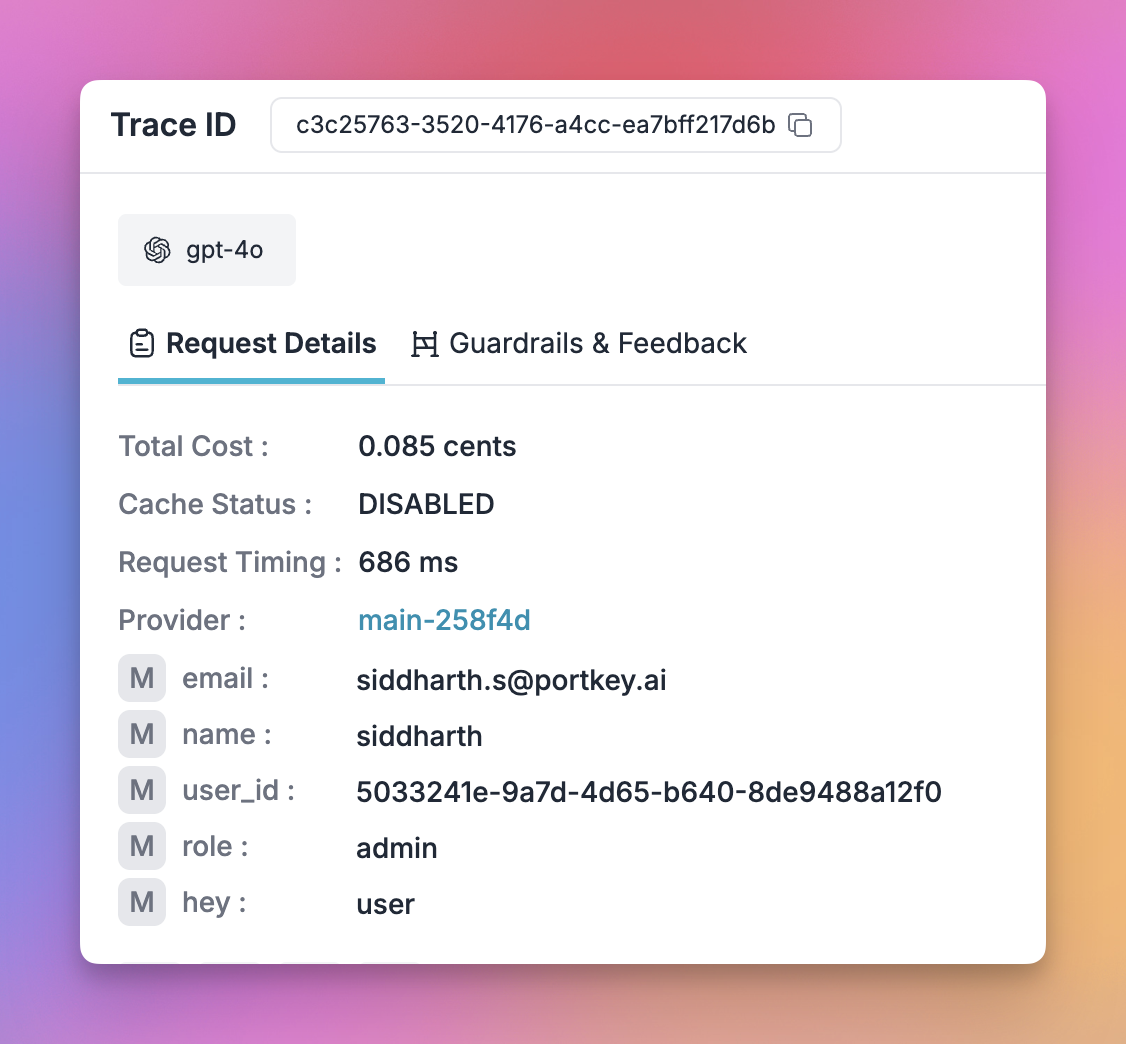
Portkey logs showing Open WebUI user metadata
Captured metadata: User email, name, role, chat ID, user ID. Filter logs by user, attribute costs to departments, maintain audit trails—all without individual API keys per user.

How the Manifold Pipe Works

Open WebUI (User A, User B, User C...) 

Shared Portkey API Key

Portkey Logs: All requests appear anonymous

❌ No cost attribution, usage tracking, or audit trails
The pipe uses Open WebUI’s __user__ context object and formats it as Portkey metadata.

3. Enterprise Governance

Create providers per team with budget & rate limits in Model Catalog.
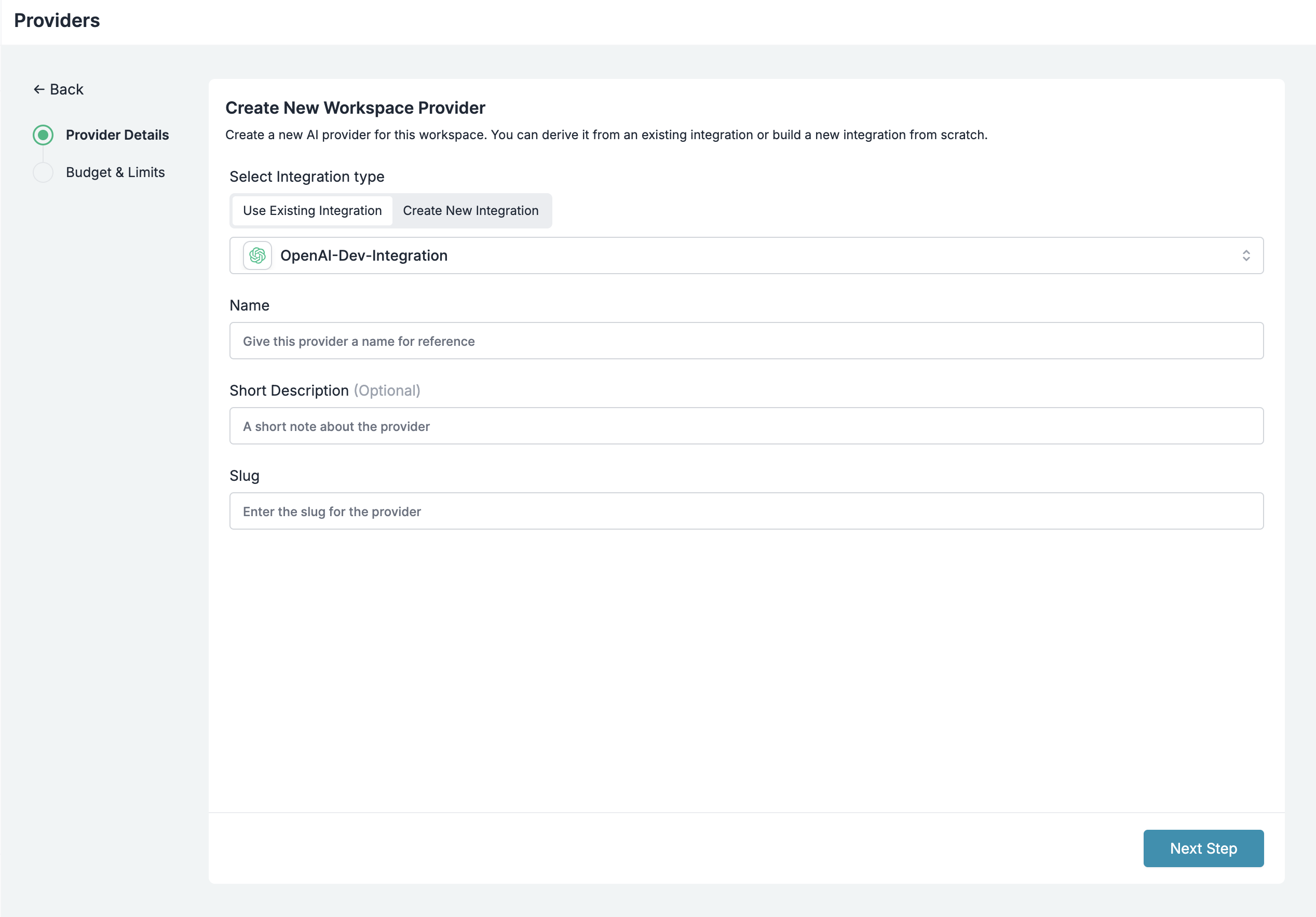
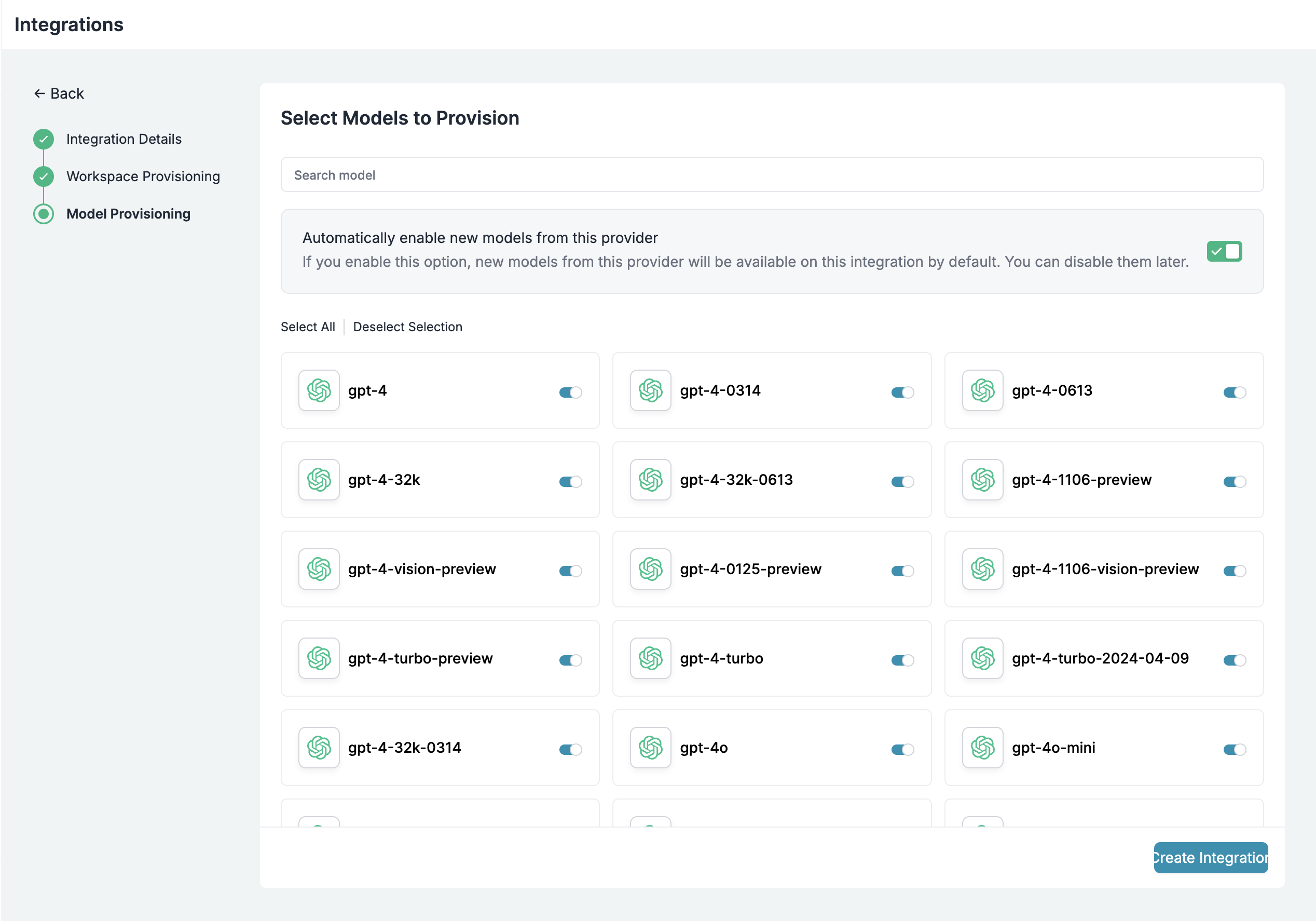
Use Model Catalog to provision which models are exposed to each workspace.
Attach default configs to API keys (Open WebUI doesn’t support custom headers).
Create configs for load balancing, fallbacks, and caching:
{"strategy": {"mode": "loadbalance"}, "targets": [{"override_params": {"model": "@openai-prod/gpt-4o"}}, {"override_params": {"model": "@anthropic-prod/claude-sonnet-4-20250514"}}]}
Attach configs to API keys in Configs Library. Update anytime without redeploying Open WebUI.
Create API keys with metadata for tracking and scoped permissions:
from portkey_ai import Portkey

portkey = Portkey(api_key="YOUR_ADMIN_API_KEY")

api_key = portkey.api_keys.create(
    name="frontend-engineering",
    type="organisation",
    workspace_id="YOUR_WORKSPACE_ID",
    defaults={
        "config_id": "your-config-id",
        "metadata": {"department": "engineering", "team": "frontend"}
    },
    scopes=["logs.view", "configs.read"]
)

4. Image Generation

1

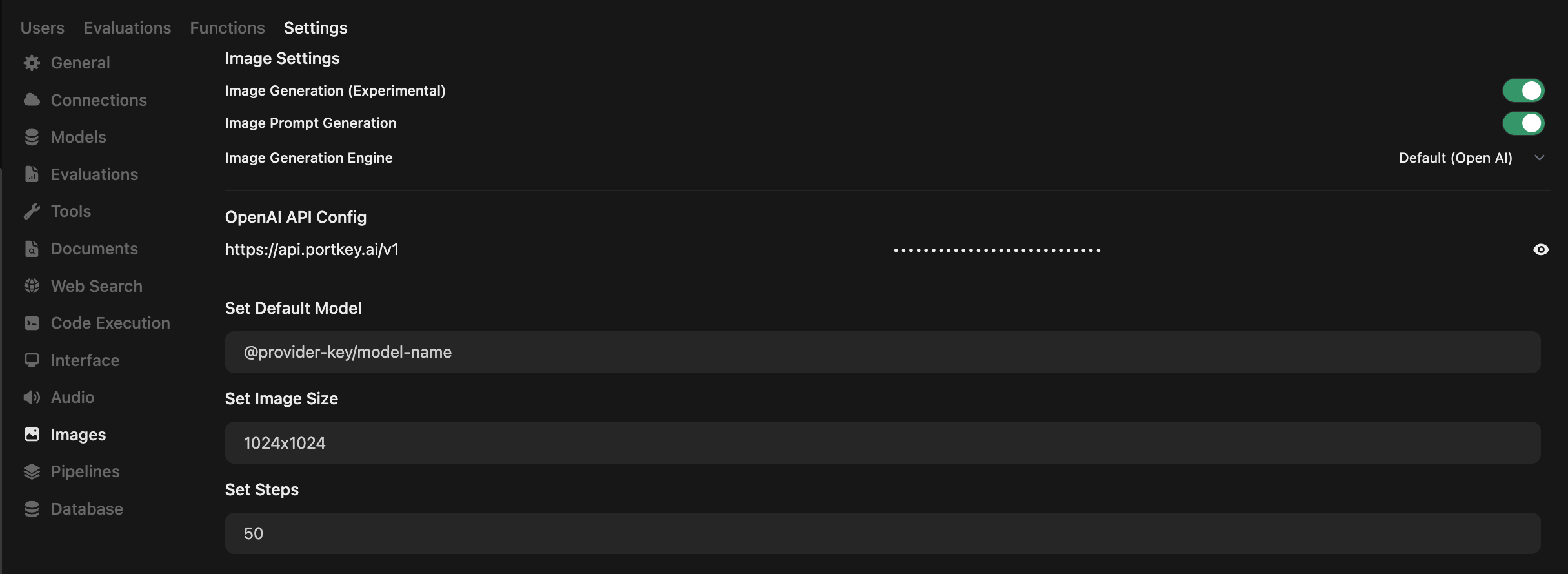
Configure Image Settings

Open WebUI → Admin PanelSettingsImages
SettingValue
Image GenerationON
EngineDefault (Open AI)
OpenAI API Confighttps://api.portkey.ai/v1
API KeyYour Portkey API key
Default Model@openai-prod/dall-e-3
Open WebUI Images Settings
2

Model-Specific Sizes

ModelSupported Sizes
DALL·E 2256x256, 512x512, 1024x1024
DALL·E 31024x1024, 1792x1024, 1024x1792
GPT-Image-1auto, 1024x1024, 1536x1024, 1024x1536
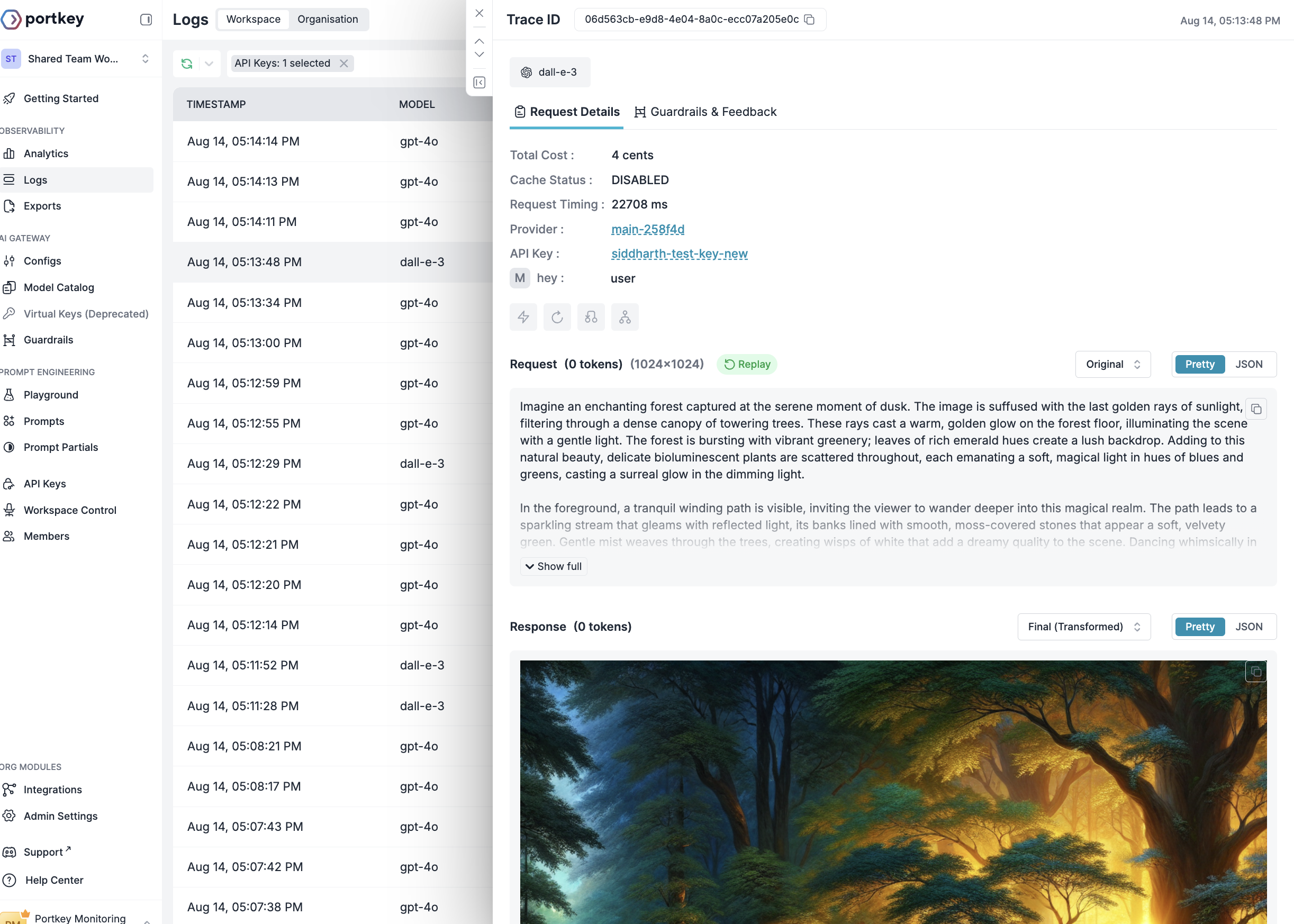
Track image generation costs and usage in Portkey Logs.
Portkey Image Generation Logs
For other providers (Gemini, Vertex AI), add parameters via override_params in a default config.

Portkey Features

Reliability

Enterprise

FAQs

Yes. Create multiple providers in Model Catalog, add them to a single config, and attach that config to your API key.
Create separate providers per team, use metadata tags in configs, or set up team-specific API keys. Monitor in the analytics dashboard.
Requests are blocked, admins notified, usage stats remain visible. Adjust limits as needed.

Next Steps

For enterprise support, contact our enterprise team.